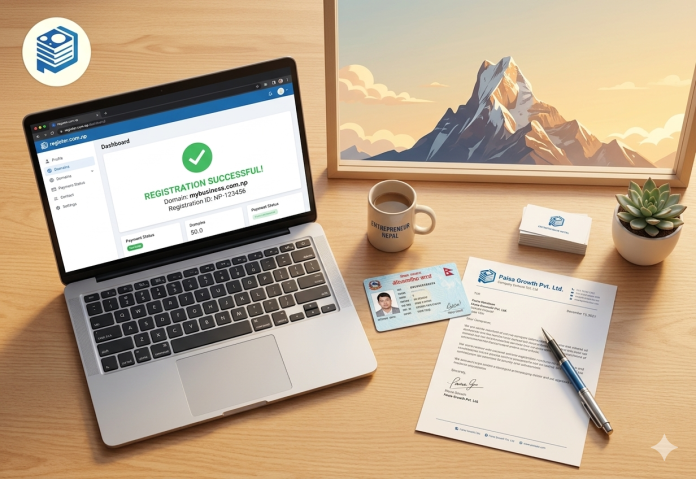
Welcome back to the April deep dives. If you’ve been following our “Domain News” series, you know that 2026 has been a year of digital cleanup in Nepal. The Nepal Network Information Center (NPNIC) and Mercantile Communications have moved beyond just handing out free names; they are now ensuring that the .np namespace is high-quality, verified, and legally compliant.
With the Electronic Commerce Act 2025 now fully operational, your .np domain isn’t just a web address—it’s your legal “Electronic Platform” identifier. If you’re a business owner or an aspiring creator, getting this right the first time is crucial. No one wants to wait 5 days only to get a “Rejected” email because their citizenship scan was too blurry or their cover letter was missing a signature.
As your grounded tech collaborator, I’ve navigated the updated 2026 portal dozens of times this year. Here is everything you need to know to secure your free .np domain without the headache.
1. Why .NP? The 2026 Perspective
In a world where .com prices are soaring due to USD inflation (now hitting NPR 2,200+ for renewals), the .np extension remains FREE. But price isn’t the only factor.
The Strategic Advantages:
- Local Trust: In the post-2025 landscape, Nepali consumers are more wary of “anonymous” .com sites. A .np domain proves you are a verified local entity.
- SEO Dominance: Google’s hyper-local algorithms in 2026 heavily favor country-code Top Level Domains (ccTLDs) for local search queries.
- Legal Compliance: Under the new Act, listing your business in the government’s e-commerce portal requires a verified digital presence.
2. The Documentation Checklist (2026 Requirements)
The most common reason for rejection is incorrect documentation. The registry is strict because they are protecting your identity. Here is the exact checklist for 2026.
A. For Individuals (Personal Domains)
Your domain name must be based on your actual name (e.g., naleshbhandari.com.np or bhandarinalesh.com.np).
- Identification: A scanned copy of your Nepalese Citizenship (Nagarpalika/Ward-issued), Passport, Driving License, or Voter Card.
- Format Requirement: You must scan both the front and back of the document. Combine them into a single image file.
- Cover Letter: A signed application letter requesting the domain.
B. For Organizations (Business Domains)
The domain must match the company name, a brand name, or an acronym.
- Registration Certificate: A scanned copy of your Company, Firm, or Partnership registration.
- PAN/VAT Certificate: Now mandatory for any commercial entity under the 2025 Act.
- Request Letter: Must be on the Company Letterhead, signed by an authorized person, and stamped with the official company seal.
Technical File Standards:
| Metric | Requirement |
| File Formats | jpg, png, jpeg, gif, svg |
| Maximum File Size | 800 KB per file |
| Resolution | Must be readable (text should not be pixelated) |
3. The Step-by-Step Registration Process
The portal at register.com.np has been streamlined, but the core steps remain the same.
Step 1: The Domain Search
Check availability. If yourname.com.np is taken, try adding a middle name or an underscore.
Bhai’s Tip: Don’t try to register generic names like
travel.com.np. The registry will reject them unless you have a company named “Travel Pvt. Ltd.”
Step 2: Account Creation
Sign up with a permanent email. Do not use temporary emails; this is where your reverification notices will be sent in the future.
Step 3: Name Server Configuration
This is where most beginners get stuck. You cannot leave this blank. You need the Primary and Secondary Name Servers from your hosting provider.
- If you are using PokharaHost, your nameservers will look like:
ns1.pokharahost.comns2.pokharahost.com
Step 4: Filling the Administrative & Technical Contact
- Administrative Contact: This should be you (the owner).
- Technical Contact: This can be you or your web developer.
Step 5: Document Upload
This is the final “Gate.” Upload your merged ID (front+back) and your signed cover letter.
4. How to Write the Perfect Cover Letter
In 2026, the registry uses AI-assisted screening for letters, but a human still makes the final call. Here is a template that never gets rejected.
Sample Template (Individual)
To, The Hostmaster > Mercantile Communications, Kathmandu, Nepal > Date: [Insert Date]
Subject: Request for .com.np domain registration >
Dear Sir/Madam,
I would like to request the registration of the domain name [yourname.com.np] for my personal use. I have attached a scanned copy of my citizenship for verification.
Thank you for your cooperation.
Sincerely,
[Your Signature]
[Your Full Name]
5. Domain Reverification: The 2026 Update
A new feature of the 2026 landscape is the Reverification State. Because .np domains don’t expire, thousands of “ghost” domains were cluttering the system.
- What it is: Every few years, you may be asked to log in and confirm you still own and use the domain.
- Consequence: If you ignore the reverification email for 90 days, the domain is released back into the public pool.
- Quick Link: Read our guide on 7 Reasons to Choose .NP Domain for Local SEO.
6. Technical Deep Dive: DNS Propagation
Once your domain is approved (usually within 24–48 working hours), it doesn’t work instantly. This is due to DNS Propagation.
The time it takes for your new domain to be recognized worldwide can be modeled by the TTL (Time To Live) value set in your DNS records.
$$T_{total} \approx TTL_{old} + Latency_{isp}$$
In Nepal, with modern ISPs, propagation usually completes in 2 to 6 hours, but the registry officially advises waiting up to 24 hours.
7. Common Rejection Reasons & Solutions
| Problem | The “Bhai” Solution |
| “Name Mismatch” | Ensure the domain matches your ID exactly. Don’t use nicknames. |
| “Blurry Document” | Use a mobile scanning app (like Adobe Scan) instead of just a photo. |
| “Missing Letterhead” | For companies, the letterhead is non-negotiable. Don’t use plain paper. |
| “Generic Name” | You can’t own kathmandu.com.np. Choose something specific to your brand. |
8. Compliance with E-commerce Act 2025
If you are using your .np domain for business, you must display the following on your homepage to comply with the 2025 Act:
- Registration Number (Company/PAN).
- Physical Address in Nepal.
- Contact Details (Verified phone and email).
Failure to display these can lead to fines ranging from NPR 20,000 to NPR 1,00,000. The registry is now working with the Department of Commerce to ensure .np owners are following these transparency rules.
Exhaustive FAQ: .NP Registration
Q1: Is it really 100% free forever?
A: Yes. As of April 2026, there are no registration or renewal fees. However, you must keep your contact information updated to avoid losing the domain during a reverification audit.
Q2: Can I register a .np domain if I’m not in Nepal?
A: Yes, if you are a Non-Resident Nepalese (NRN) with an NRN ID card, or a foreign national with a valid Nepalese resident visa.
Q3: How many domains can I register?
A: Generally, one per individual ID. Companies can register more if they can prove a business need (e.g., multiple brands or trademarks).
Q4: Can I transfer my .np domain to another person?
A: No. .np domains are non-transferable. You must delete it, and the other person must apply for it (though there is no guarantee they will get it first).
Q5: Do I need to buy hosting before I register?
A: Technically, you just need the Nameservers. You can get these by signing up for a Cheap Web Hosting plan in Nepal first.
Conclusion: Claim Your Corner of the Internet
Registering a .np domain is the first step in building a credible, legal, and fast digital presence in Nepal. While the documentation might seem tedious, it is what makes our local internet space secure and trustworthy.
Don’t wait premium names are being claimed every hour. Gather your documents, scan them clearly, and start your registration today.
Need a place to point your new domain? Get high-speed NVMe hosting from PokharaHost and we’ll give you the exact nameservers you need to complete your registration in seconds. We even provide a free cover letter template for all our hosting clients!

