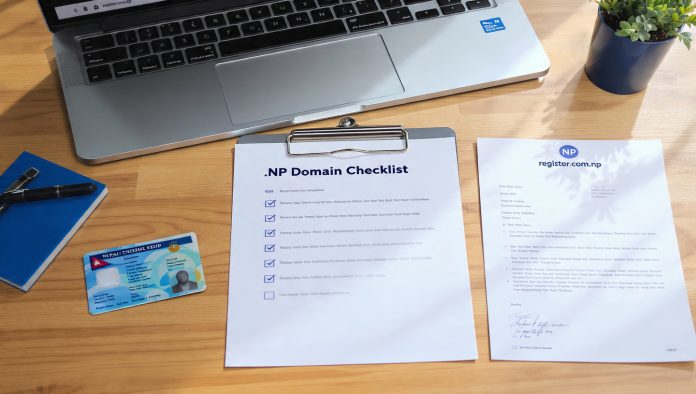
Why Every Nepali Needs a .NP Domain – The .NP ccTLD (Country Code Top-Level Domain) is a unique gift for the Nepali digital community. Managed by Mercantile Communications, it is completely free for a lifetime—meaning no registration fees and no renewal costs.
Beyond being free, a .NP domain provides an instant local identity and a significant Local SEO advantage for ranking in Nepal. However, many applications are rejected simply because of incorrect documentation. To ensure your domain is approved on the first try, follow this updated 2025 checklist.
Once your domain is approved, you’ll need a fast home for it. Check out our Best Web Hosting in Nepal to get started.
The Naming Rule: Read This First!
Before gathering documents, remember the golden rule: The domain name must exactly match your name (for individuals) or your registered brand name (for organizations).
- Example: If your name is Ram Thapa, you can request
ramthapa.com.nporthaparam.com.np. You cannot requestbestnepaliblogger.com.npas a personal domain.
Checklist for Personal Domain Registration
If you are an individual, blogger, or freelancer, you need the following:
- [ ] Scanned Copy of Identification: Any one of these:
- Nepali Citizenship (Both Front and Back)
- Passport
- Driving License
- Voter ID Card
- [ ] Cover Letter: A simple signed application letter requesting the domain.
- [ ] Name Servers: You must have the Primary and Secondary Name Servers from your hosting provider (e.g.,
ns1.pokharahost.com).
Checklist for Company/Organization Registration
For businesses, NGOs, or schools, the requirements are stricter:
- [ ] Company Registration Certificate: A scanned copy of your firm/company/organization registration.
- [ ] PAN/VAT Certificate: A copy of your tax registration.
- [ ] Cover Letter on Official Letterhead: The application must be written on the company’s letterhead, signed, and stamped with the official company seal.
- [ ] Name Servers: DNS details provided by your host.
Technical Requirements for Documents (2025 Update)
Mercantile’s system is strict about file formats. Ensure your scans meet these criteria:
- Format: JPG, JPEG, or PNG only.
- File Size: Each file must be less than 200 KB.
- Legibility: The text and photos on your IDs must be crystal clear. Blurry scans are the #1 reason for rejection.
You can start your application and upload these documents at the official Register.com.np Portal.
Quick Step-by-Step Summary
- Search: Check availability at register.com.np.
- Create Account: Sign up with a valid email.
- Fill Details: Enter Administrative and Technical contact info.
- Upload: Attach your documents as per the checklist above.
- Wait: Approval typically takes 2 to 3 business days.
Conclusion: Secure Your Digital Identity
Registering a .NP domain is the first step in building your brand in Nepal. While the process requires specific paperwork, the lifetime of free branding is well worth the effort.
Got your documents ready? Don’t let your desired name get taken. Register your free domain today and pair it with the Fastest NVMe Hosting in Nepal for the best results!

